

Create a transactions
To create a PayPal transaction, set themethod to paypal and the redirect_url to the endpoint of the app that can handle the customer returning once they’ve completed approving the transaction on paypal.com.
See the POST /transactions API endpoint for more details.
status set to buyer_approval_pending as well as a payment_method.approval_url.
About tokenization
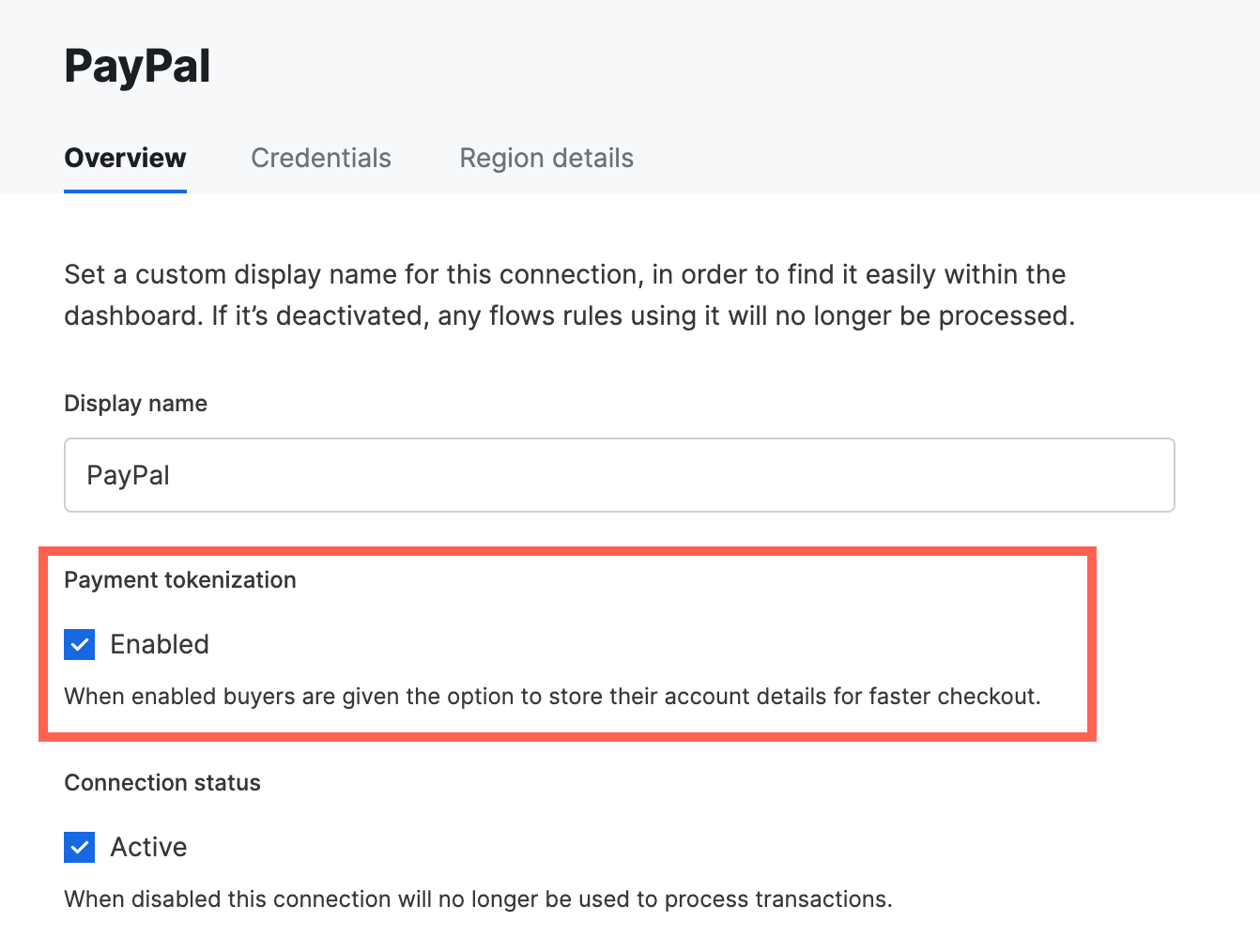
If the PayPal account supports Reference Transactions, then pass thestore=true parameter to each request to vault a buyer’s PayPal account for future use.
This does require ticking the Payment tokenization toggle for the PayPal connection in the dashboard.
Handle redirect to PayPal
The app needs to redirect the customer to PayPal where they are required to authenticate the payment. To do so, redirect the customer to thepayment_method.approval_url. After they’ve authenticated themselves, the customer is redirected back to the redirect_url that was set when creating the transaction.
Handle the return to the app
When the customer is redirected back to the app, the transaction status is not known. The app therefore needs to call the API to get the latest transaction status. To do this, theredirect_url is appended with the transaction_id.
Fetch the latest status
Finally, after the transaction has been created your application can get the latest details and status [using the transaction ID](/reference/transactions/get-transaction received via the callback to the redirect URL, or on direct callback from the API. The transaction includes details about the payment method used and the status of the transaction.Visit the API reference documentation for full details about the
transaction resource, and any other API.
Webhooks
To receive timely updates regarding the status of PayPal transactions please set up a PayPal webhook URL. In the PayPal Merchant Dashboard create a webhook with that URL. Once set up, a webhook ID is provided by PayPal, provide this back to the team.FraudNet
FraudNet is a PayPal-developed, JavaScript library that collects browser-based data to help reduce fraud. Upon checkout, the FraudNet library sends data elements to PayPal Risk Services for fraud and risk assessment. When creating transactions using PayPal Billing Agreements, the PayPal FraudNet library must be included on the checkout page for all transactions. When using Embed, the PayPal FraudNet library is included automatically. If using Direct API directly, use the device fingerprinting library which includes the PayPal FraudNet library.Set transaction context values (STC)
Set transaction context values (STC) are used to provide additional information to support PayPal’s advanced risk analysis. Below is an outline of the values required. These values should be included in the connection options for PayPal (connection_options[paypal-paypal]). Below are examples for a retail or a marketplace transaction where retail transactions are those sold directly by the merchant on record, while a marketplace transaction is sold by a third party on the merchant’s website.
PayPal uses sender and receiver to refer to the transfer of funds where the sender is the buyer who is transmitting funds to the reciever or merchant.