

Authenticate an API call
Every API endpoint that requires authentication expects anauthorization HTTP-header
with a signed JWT token as its value (prefixed with bearer).
Create an API key
To sign a JWT, create a new API key-pair in the dashboard. To create a new API key visit the Integrations panel in the dashboard and click the Add API key button. The API key can be stored with the code or in a secure environment accessible to the app.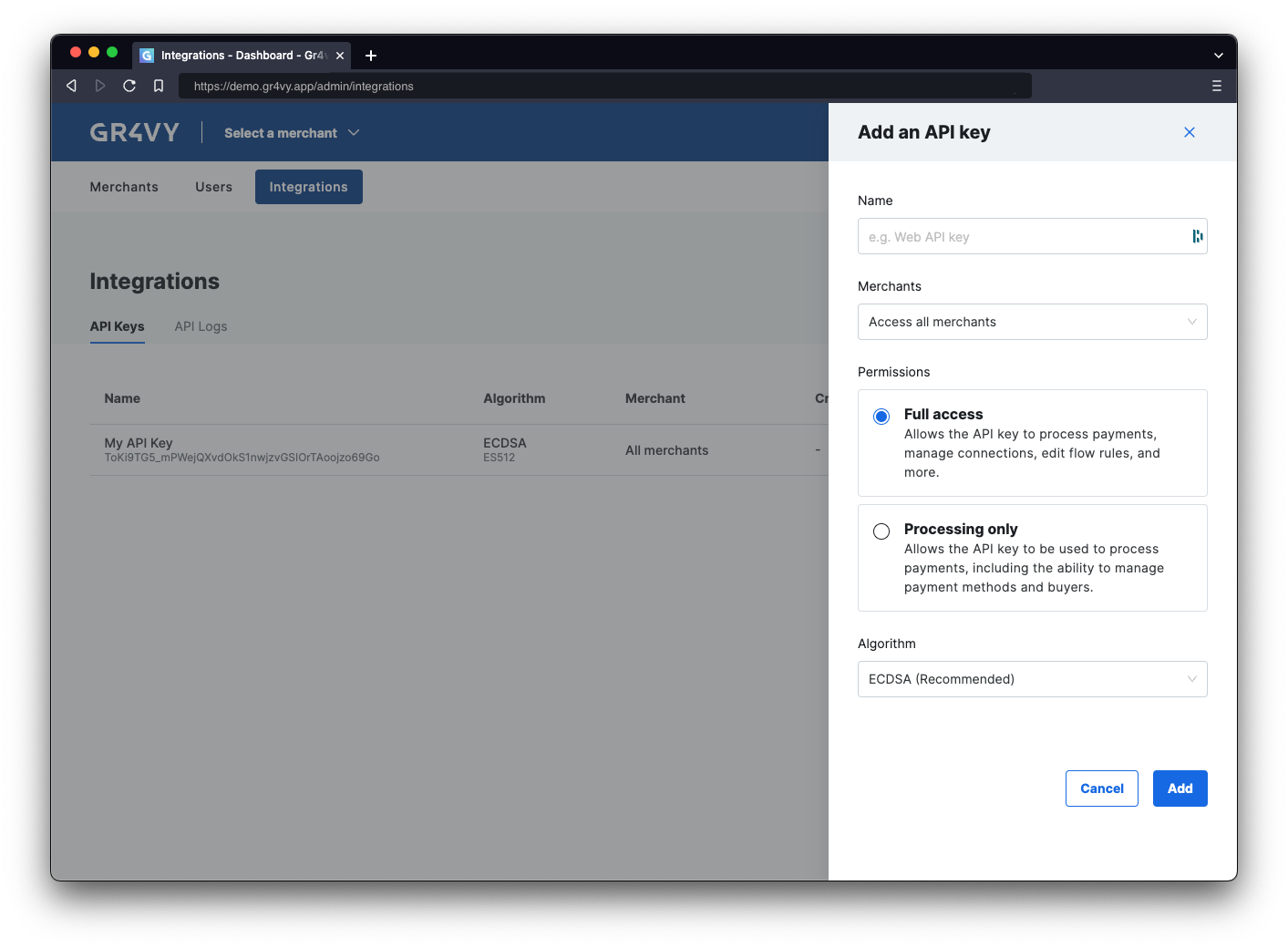
Merchants access
If the instance has Multi Merchant enabled, select whether the API key can access All merchants or only one. It is recommended to restrict an API key to only one merchant account when integrating into Embed, the SDKs, or the e-commerce platforms like Magento, Salesforce Commerce Cloud, and commercetools.Permissions
When creating an API key, select the role that matches how the key is used. A role is a named, fixed set of scopes, and it determines which APIs the key can access within the merchants it can reach.
It is recommended to use Processing only for any API keys used with the e-commerce platforms like Magento, Salesforce Commerce Cloud, and commercetools.
You can change the role of an existing API key from the Integrations panel without deleting and recreating the key. Reassigning a role is the supported way to change the scopes applied to a key.
API access can be further reduced by setting a restrictive set of
scopes on the JWT.
Algorithm
The API supports 2 algorithms for signing JWTs, namely ECDSA and RSA. It is recommended to use ECDSA unless the environment does not support this stronger and newer algorithm. The RSA algorithm is available for those environments that do not support ECDSA. RSA keys provide considerably less security for the same key size and are currently not supported by the SDKs.Generate JWT
When not using one of the SDKs, or an SDK in the language is not available, construct and sign the JWT with one of the many libraries available onjwt.io.
At the high level a JWT is build up out of 3 pieces:
- A header defining the algorithm and key used to create the JWT.
- A set of claims that define the token’s scope and other permissions.
- A cryptographic signature based on the header and the claims, signed using the private key.
jwt.io for more details on the specification and available
libraries for generating JWTs.
JWT header
The JWT header defines the type of encryption algorithm as well as the private key used to generate the signature.The
typ and alg are fixed and do not allow for other values. The kid is
the ID of the private key, which can be found in the Integrations panel of
the dashboard.JWT claims
The claims define when the token was created and what access it has.Claims
The API supports the following JWT claims.Checkout sessionsWhen using a server-side SDK, the recommended way to populate the
checkout_session_id claim is the getEmbedTokenWithCheckoutSession helper, which creates a checkout session and returns an Embed token with the ID already pinned. See generating a token.TimestampsPlease be aware that the
nbf, exp, and iat values are UNIX timestamps defined as seconds since January 1, 1970 (UTC). Some programming languages return UNIX timestamps as milliseconds,
requiring the removal of the last three digits.Scopes
The API supports the following values for thescopes claims.
The following resource names are recognized. Please see the reference documentation for more details as to what scope
is required per endpoint.
anti-fraud-servicesapi-logsbuyersbuyers.billing-detailscard-scheme-definitionscheckout-sessionsconnectionsdigital-walletsflowspayment-methodspayment-method-definitionspayment-optionspayment-service-definitionspayment-servicesreportstransactions
Signature & assembly
Finally, the JWT signature is generated by appending the Base64 encoded header and claims (separated with a.) and run it through the key’s algorithm.